Connecting HubSpot
Register a private application to automate JIT and lifecycle management for HubSpot users
Step 1: Create an App Integration
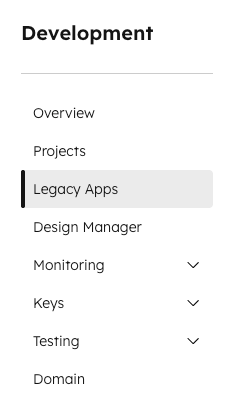
- From the Development Console, select Legacy Apps from the left menu
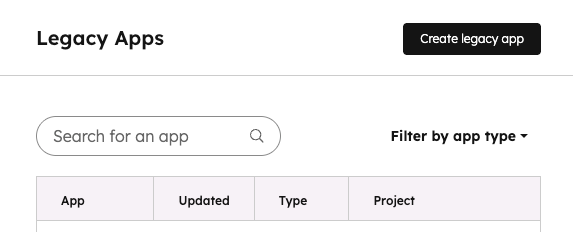
- Click the Create Legacy App button
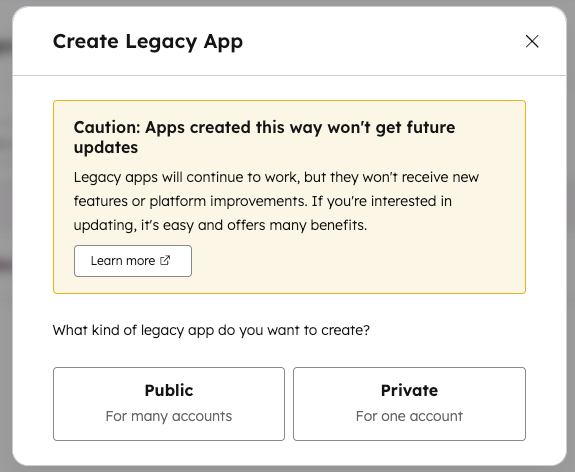
- Select Private
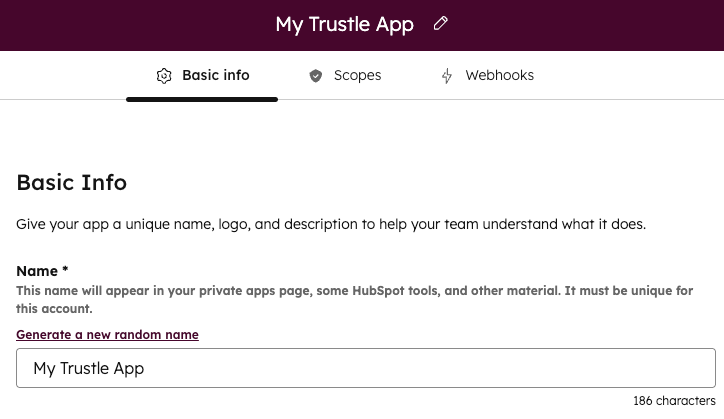
- Type the desired app name.
Step 2: Grant the application HubSpot Scopes
- Still in the app creation window, click on Scopes and then click Add new scope.
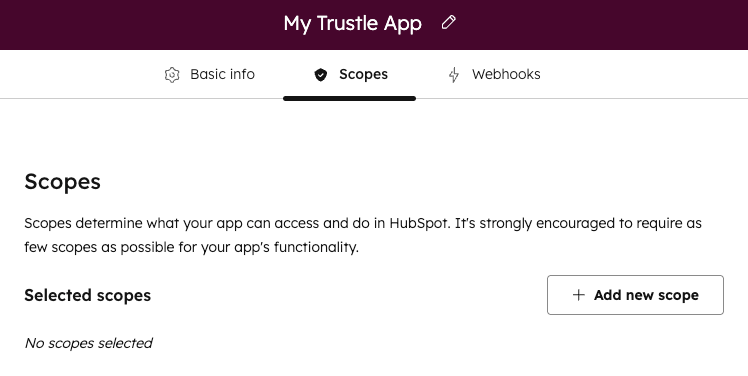
- Select the following scopes:
- Crm.objects.owners.read
- Crm.objects.users.read
- Settings.users.read
- settings.users.teams.read
- Click Update
- Click Create App
- Click Continue Creating
Step 3: Get your Access Token
- Once the App is created, get your Access Token
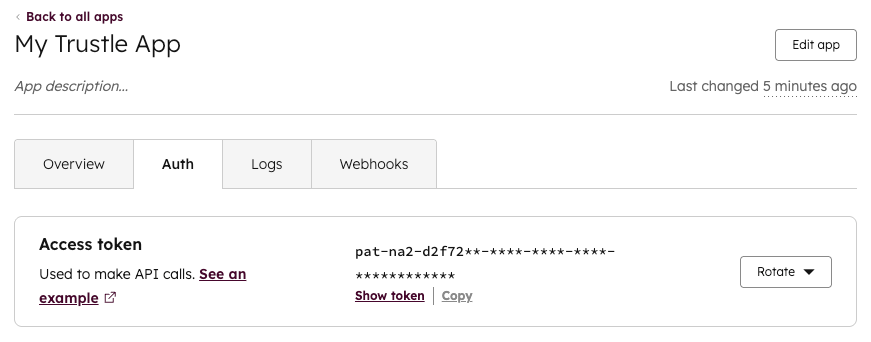
- Click the Auth Tab
- Click the link Show token in the Access Token section
- Click the link Copy in the in the Access Token section
Step 4: Set up the HubSpot integration
- Navigate to the Connections page in Trustle from the left menu
- Under Identity Providers find the Hubspot logo and choose Connect
- Provide the Access Token from step 3.
- Click Test Connection
- Upon successfully testing the connection, click Save Connection